
Getting started with Kakao API
This document provides an overview of how to call Kakao APIs, intended for those new to the Kakao API.
To use the Kakao API, all users must register as a developer account on Kakao Developers. A developer account can be registered by logging into the Kakao Developers site with a Kakao Account and selecting [Sign up].
Kakao Developers provides its features through both the website and the mobile app. For details, see Website and mobile app.
To use Kakao APIs, you need an app. If you do not have an app yet, create one first.
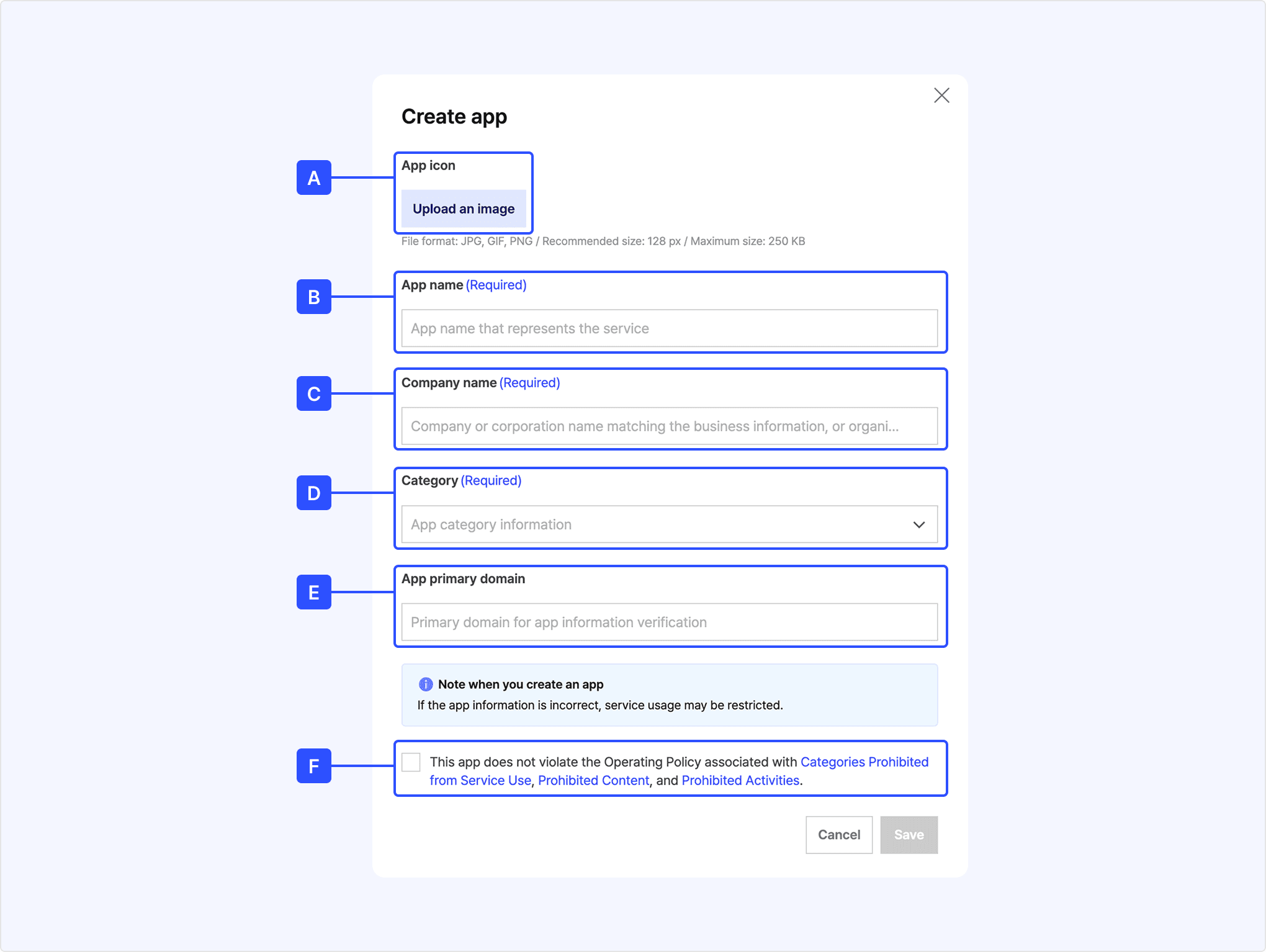
- Select [Create app] in the full app list in the app management page.
- Register a logo or icon for [A] App icon. You may skip this step because it can be edited later in App basic information.
- Enter the service name in [B] App name.
- Enter the business or organization operating the service in [C] Company name. If you are an individual developer, you may enter a name that can represent the developer information or the service origin.
- Select the category your service belongs to in [D] Category.
- Enter the primary domain of the service to be provided through the Kakao Developers app in [E] App primary domain.
- After confirming that the service does not fall under any restrictions in the operating policy, select [F].
- Select [Save] to create the app.
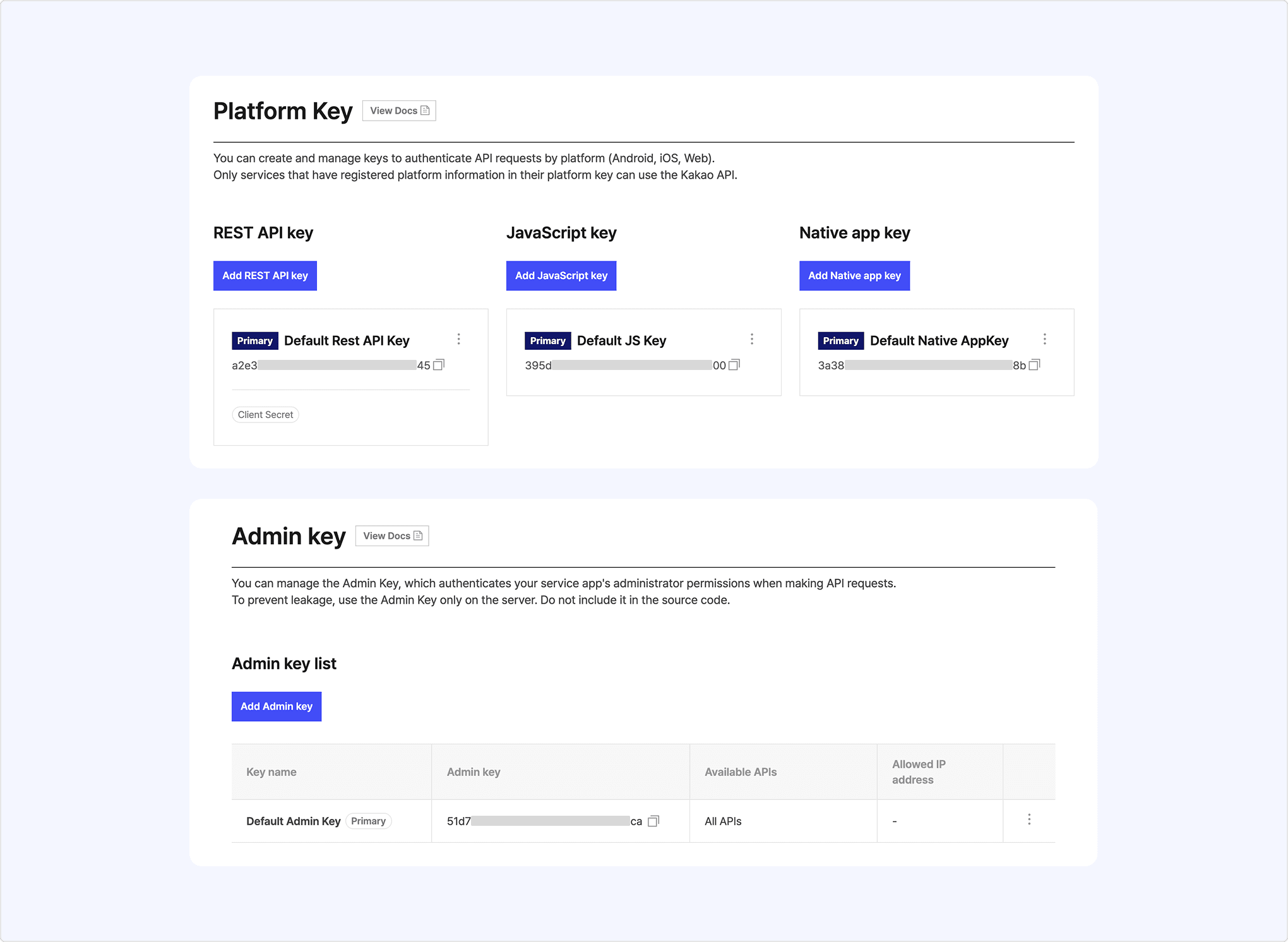
When calling Kakao APIs, you must pass the app key in the authorization header to identify which app is calling the API.
Go to [App] > [Platform key] or [Admin key] on the app management page to check your app keys. Depending on the platform or API, you may need different types of app keys. Each API development guide indicates which authorization method is required.
To easily make an API call without any prerequisites, let's call the Daum Search API as an example.
If you are not familiar with development, you can call Kakao API using the test tool provided by Kakao Developers.
- Select the registered app in the REST API test tool. You can also use the developers-sample app that is selected by default.
- Enter the parameters as guided in the developer documentation and then select [Send].
You can check the request code examples along with the response result.
For the details on using the REST API test tool, see Test tool.
You can also call the API directly with the curl command in CLI (Command Line Interface).
As guided in the Developer documentation, put the REST API key in the authorization header to call the API. Be careful not to expose the REST API key to external parties.
For example, if the REST API key is 6f95e7e3146********, you can request as below.
Request examples in the REST API documentation use curl, one of the CLI tools. You can run curl examples by opening a terminal (or command prompt) supported by each operating system.
As described above, you can use various APIs provided by the Kakao Developers. To call APIs, you must first complete the prerequisites required for each API.
At the top of each development guide, the Basic information table shows any prerequisites needed to call that API.
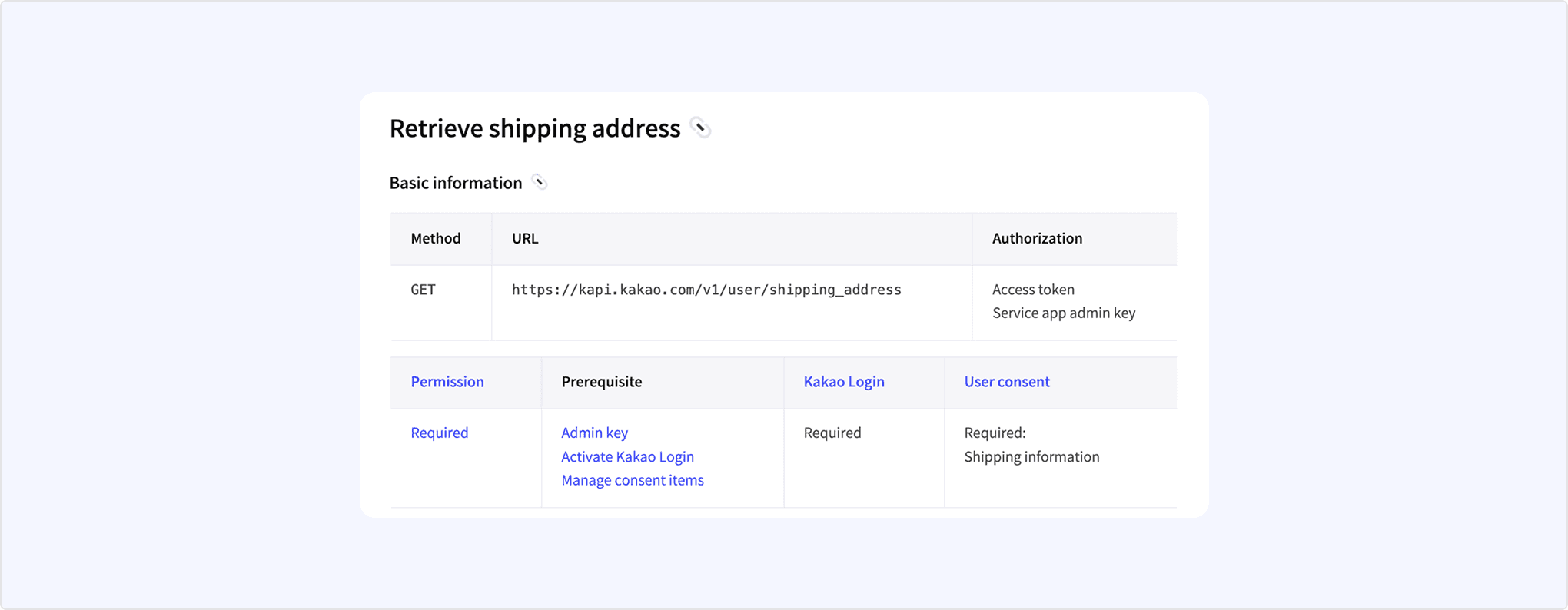
Each item in the Basic information table has the following meaning:
- Method: The HTTP method used to call the API.
- URL: The endpoint for sending API requests.
- Authorization: The authorization method required for the API call, such as Platform key, Admin key, access token, business token.
- Permission: Permission required to call the API.
- Prerequisite: Guides the items that must be configured on the app management page before calling the API, with links to relevant documents.
- Kakao Login: Whether you must implement Kakao Login for the API to work.
- User consent: The names of consent items required for the API or its features.
- Test with sample code: Guide to quickly testing Kakao Login using prebuilt sample code.
- Implement Kakao Login: Guide to implementing the login feature from project creation in Node.js, PHP, and Python environments.