
This document introduces the webhook test feature provided by Kakao Developers.
You can use the webhook test tool to verify whether your implemented webhook works correctly or to check the format of incoming requests. For more details about webhooks, refer to Webhook.
There are two ways to use the webhook test feature:
- Actual webhook delivery: If you have registered a webhook URL, the webhook request will be sent to the registered webhook URL.
- Request preview: If you have not registered a webhook URL, you can preview a sample webhook request.
You can test all types of webhooks provided by Kakao Developers in [Tools] > [Webhook Test]. The test feature only triggers change events and does not actually modify the user's status or information.
You can test the webhook sent to your service when a user unlinks from your app. For the webhook request specification, refer to Unlink webhook.
Unlink webhook test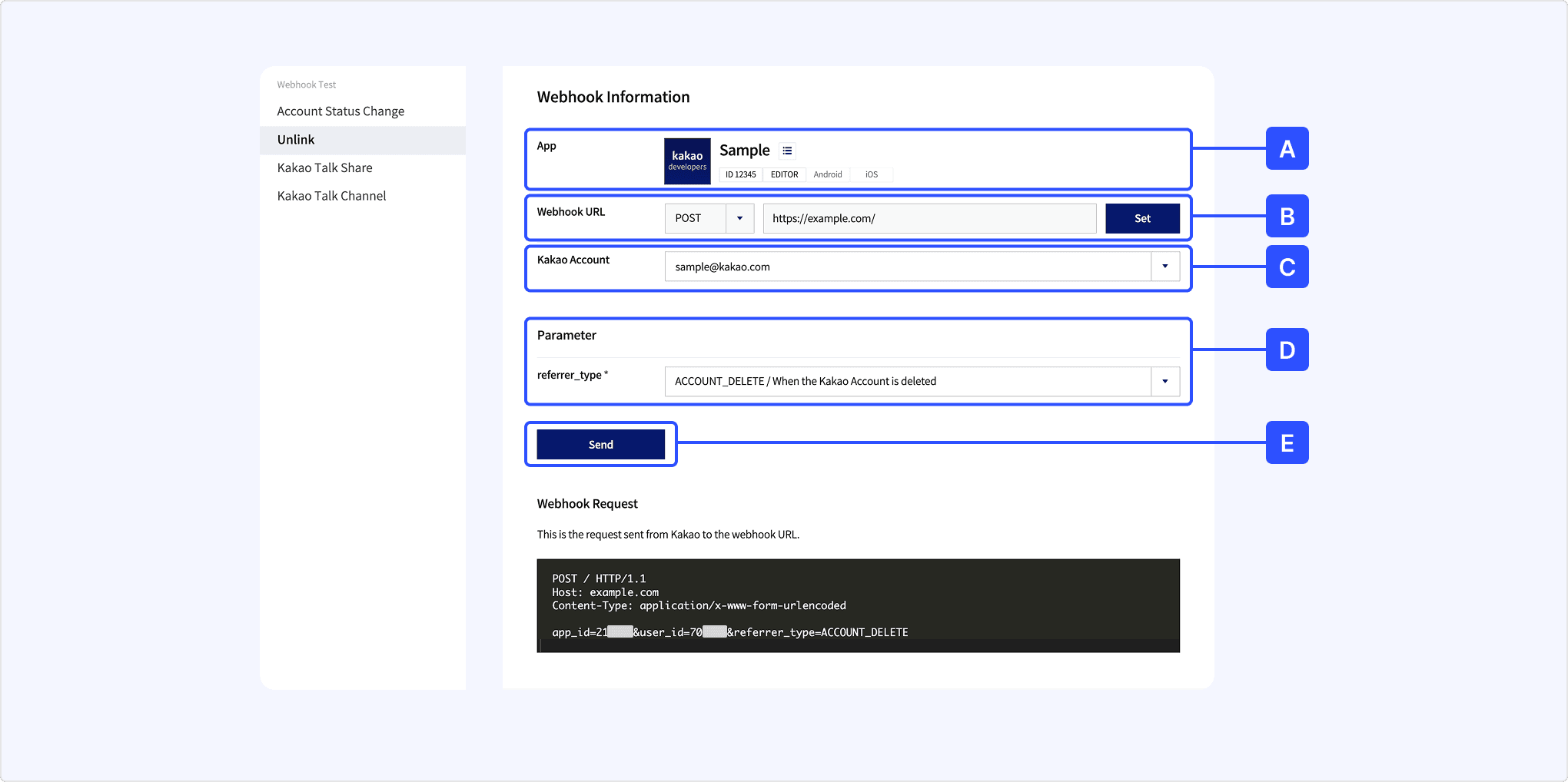
- [A] App: Select the app you want to test.
- [B] Webhook URL: Check the webhook URL to receive the webhook. If no webhook URL is specified, click [Set] and set the unlink webhook.
- [C] Kakao Account: Select the team member's Kakao Account to test. The selected account must be linked to the app.
- [D] Parameter: Set the event properties. (Note: Webhook request body).
- [E] Send: Click to send the webhook. If the webhook URL is not registered, click [Request Preview] to check the sample request. (Note: Webhook request example).
You can test account status change events such as link, unlink, and consent or withdrawal of consent for Kakao Account. For the webhook request specification, refer to Account status change webhook.
Account status change webhook test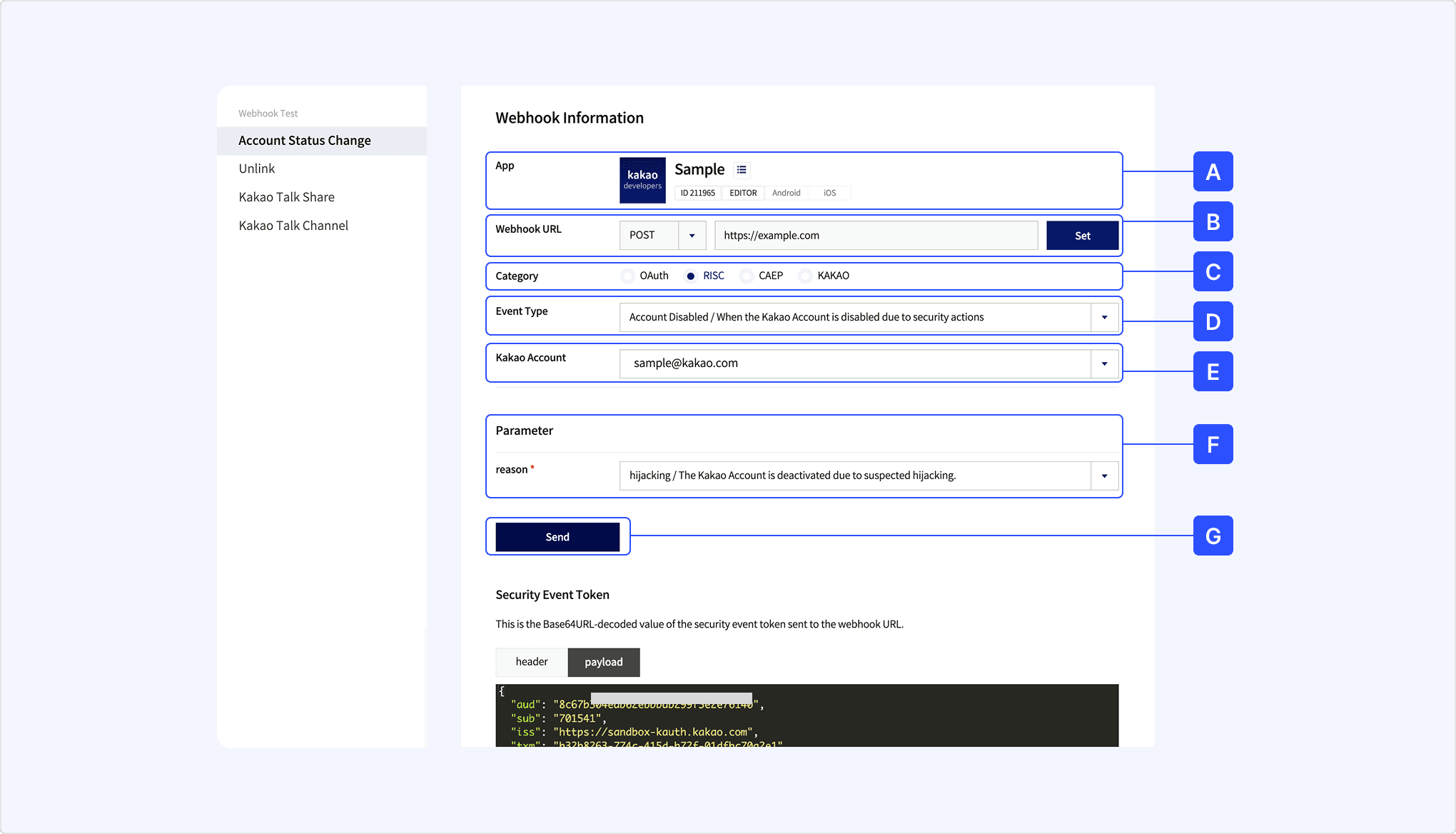
- [A] App: Select the app you want to test.
- [B] Webhook URL: Check the webhook URL to receive the webhook. If no webhook URL is specified, click [Set] and set the account status change webhook.
- [C] Category: Select a category.
- The test tool also allows you to test RISC and CAEP categories, which require special permissions.
- [D] Event Type: Select the event type to send for testing. (Note: Supported event types).
- [E] Kakao Account: Select the team member to send the event to. The selected account must be linked to the app.
- [F] Parameter: Set the event properties. (Note: Webhook request body).
- [G] Send: Click to send the webhook. If the webhook URL is not registered, click [Request Preview] to check the sample request. (Note: Webhook delivery result).
| Category | Event Type | Parameter |
|---|---|---|
| OAuth | User Unlinked |
|
| OAuth | User ServiceTerms Consent |
|
| OAuth | User ServiceTerms Withdraw |
|
| OAuth | Tokens Revoked |
|
| RISC | Account Disabled |
|
| RISC | Identifier Changed |
|
| CAEP | Assurance Level Change |
|
| KAKAO | User Profile Changed |
|
After selecting [Send], the test information appears at the bottom of the page, as shown below.
- Webhook request: Full text of the test request.
HostandURLare excluded in the output when the webhook URL is not set. - Security event Token: The decoded value of the SET contained in the request is displayed. The
headerandpayloadare output respectively. Refer to this when debugging.
The account status change webhook test page provides not only the Webhook request but also additional information such as the Security event token and Webhook response.
This is the decoded value of the SET information included in the webhook request. It is divided into Header and Payload.
This is an example of a webhook request sent by Kakao to your service. If the webhook URL is not registered, the Host header is not included.
You can check how your service endpoint responds to the webhook request. If the webhook URL is not registered, this is not provided.
You can test the webhook sent to your service when a Kakao Talk message shared with a user is successfully delivered. For the webhook request specification, refer to Kakao Talk share webhook.
Kakao Talk share webhook test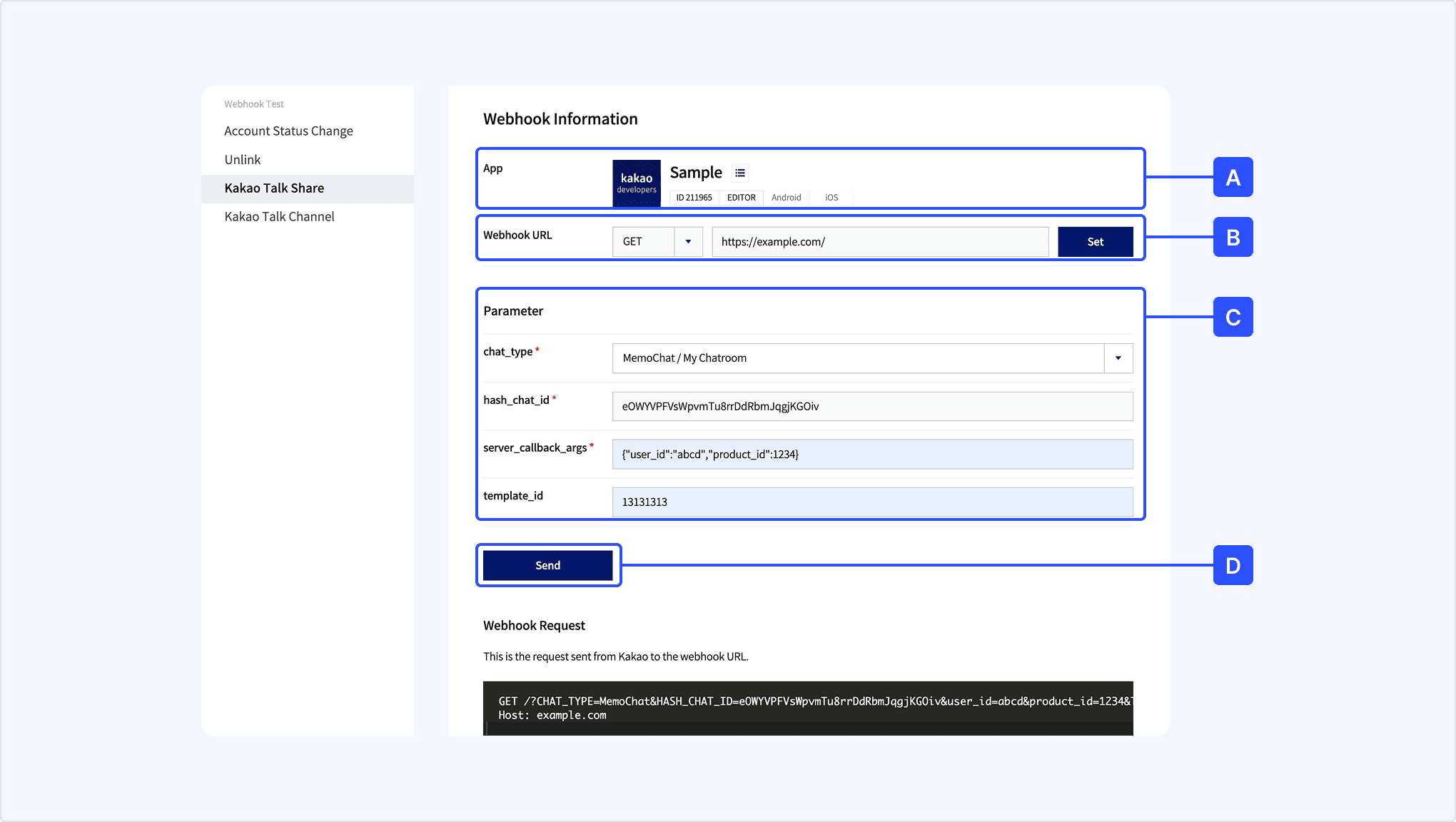
- [A] App: Select the app you want to test.
- [B] Webhook URL: Check the webhook URL to receive the webhook. If no webhook URL is specified, click [Set] and set the Kakao Talk Share webhook.
- [C] Parameter: Set the event properties. (Note: Webhook request body).
- [D] Send: Click to send the webhook. If the webhook URL is not registered, click [Request Preview] to check the sample request. (Note: Webhook request example).
You can test the webhook sent to your service when a user adds or removes a Kakao Talk channel linked to your app. For the webhook request specification, refer to Kakao Talk Channel webhook.
Kakao Talk channel webhook test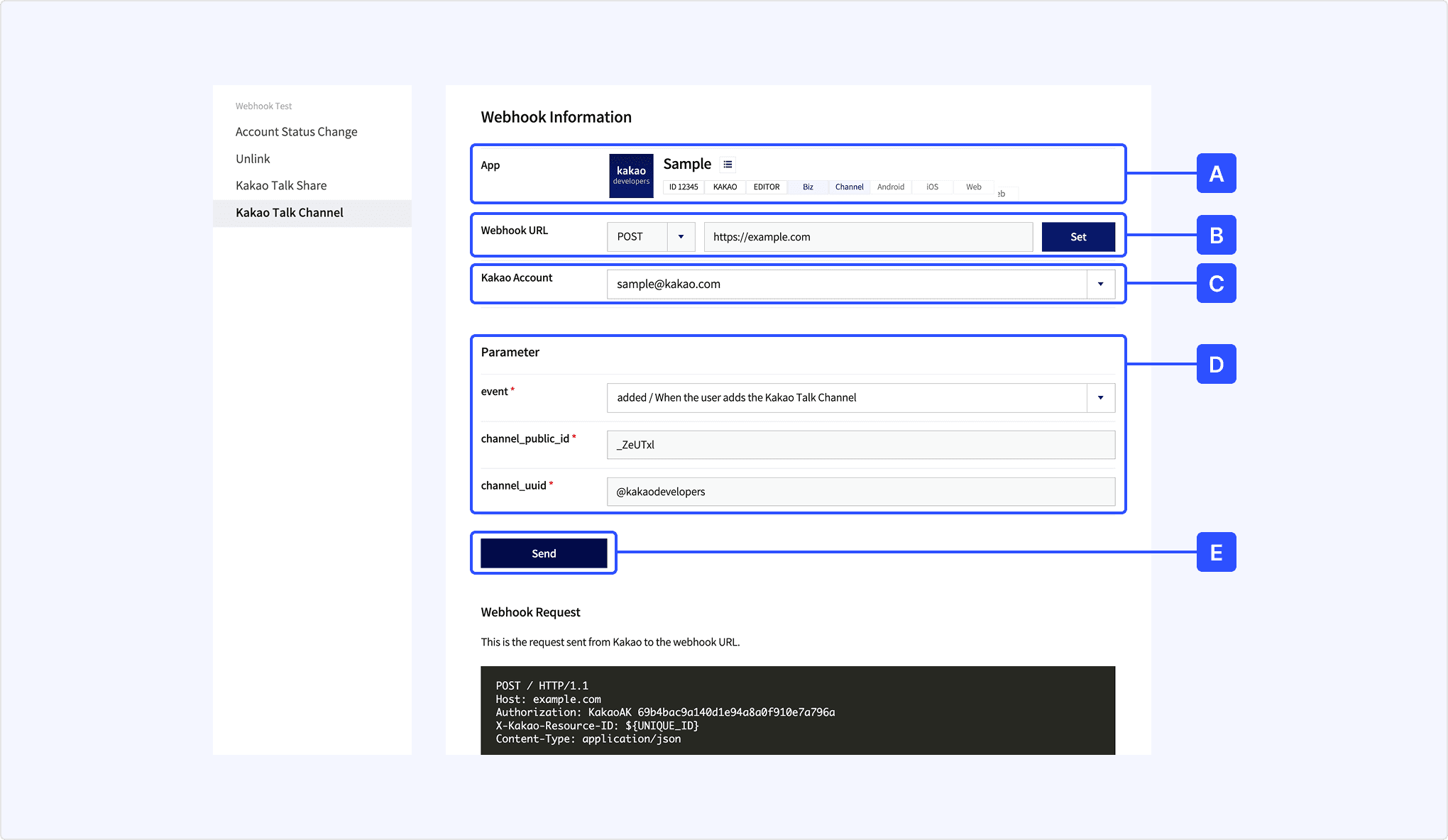
- [A] App: Select the app you want to test.
- [B] Webhook URL: Check the webhook URL to receive the webhook. If no webhook URL is specified, click [Set] and set the Kakao Talk Channel webhook.
- [C] Kakao Account: Select the team member to send the event to. The selected account must be linked to the app.
- [D] Parameter: Set the event properties. When testing, the Kakao Developers channel ID is used.
(Note: Webhook request body). - [E] Send: Click to send the webhook. If the webhook URL is not registered, click [Request Preview] to check the sample request. (Note: Webhook request example).