
This document introduces the REST API test tool provided by Kakao Developers.
Kakao Developers provides a REST API test tool for testing, developing, and debugging with REST APIs.
You can test API calls in [Tools] > [REST API Test].
Composition of REST API test tool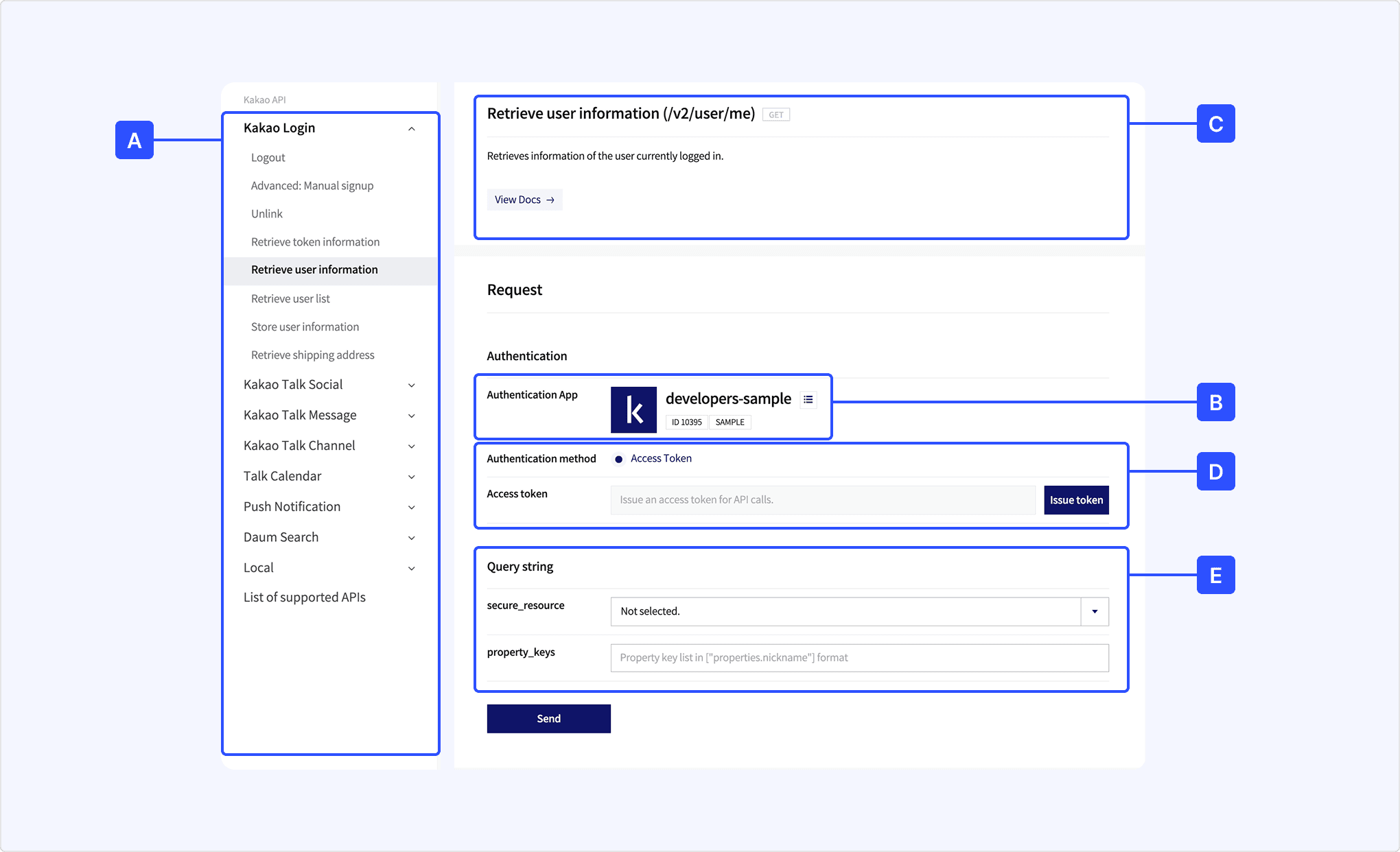
[A] API List: Select one of the APIs to test.
[B] App: [developers-sample] is set as default, select another test app by clicking the list icon next to the app name.
[C] API information: Describes the feature of selected API.
[D] Authentication: Select authentication information for the request header. Each API supports different authentication methods. See How to use.
[E] Parameter: Set the request parameter values.
Specifications in REST API test tool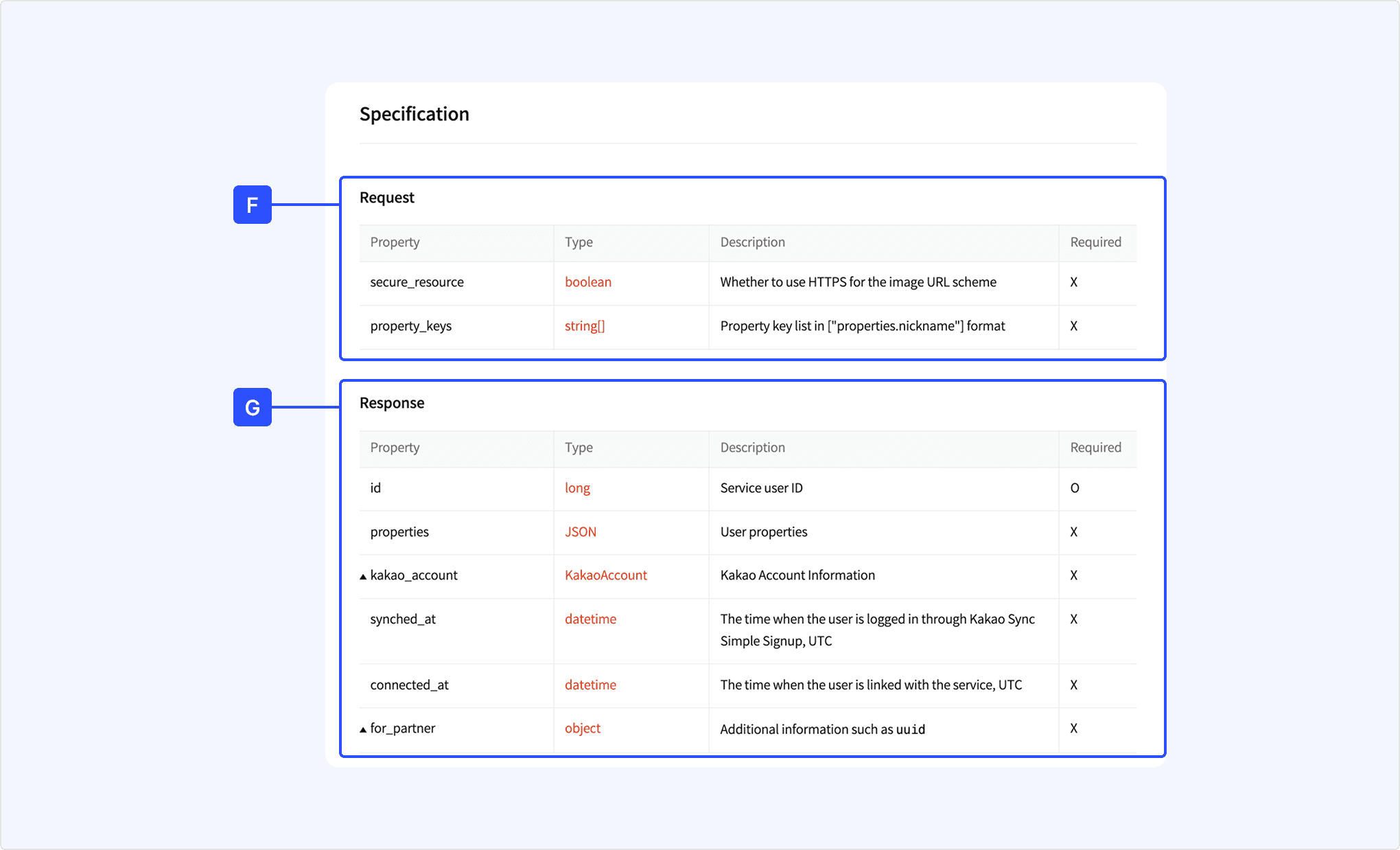
[F] Request: Describes the request parameters of the selected API.
[G] Response: Describes the keys and values in response of selected API.
Response example in REST API test tool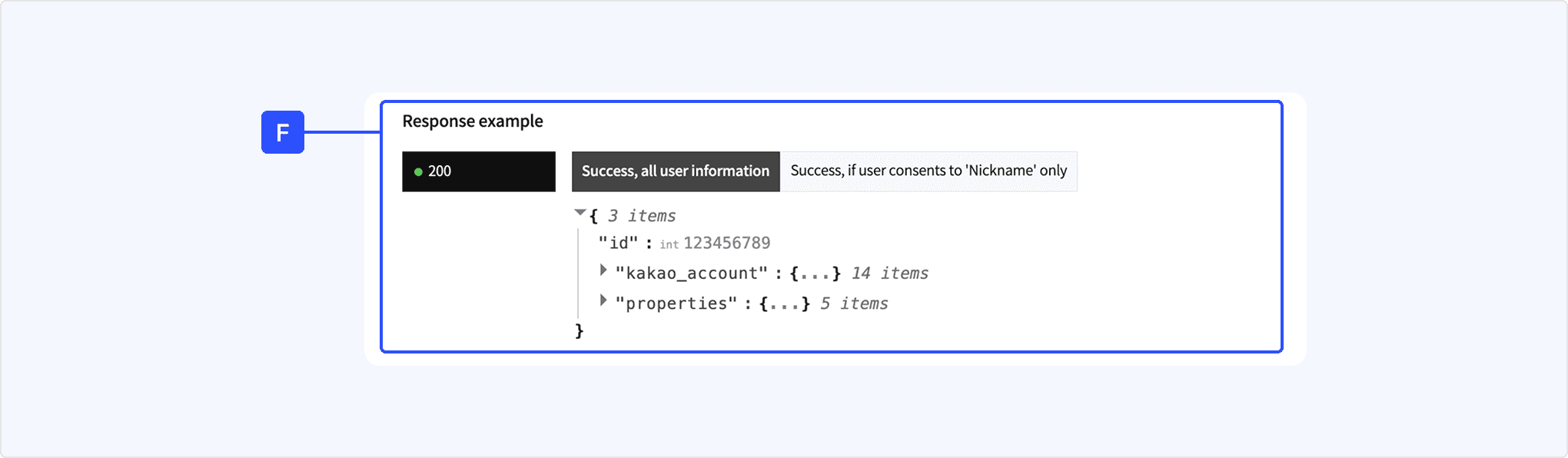
[H] Response example: Shows the examples of the response.
- Configure [D] Authentication as follows, depending on the selected method.
- Access token: Select the scope of user information that can be retrieved with the access token after clicking [Issue token].
- Business token: Select the business assets and permission scopes accessible with a business token after clicking [Issue token].
- REST API key: No configuration required.
- Admin key: Testing with an admin key is not allowed for security reasons. (See Devtalk).
- Configure the required [F] Parameter values. Items marked with
*are required parameters and must be configured. - Select [Send] to call the API with the configured information.
You can view the request example and the corresponding response.
Response and request example in REST API test tool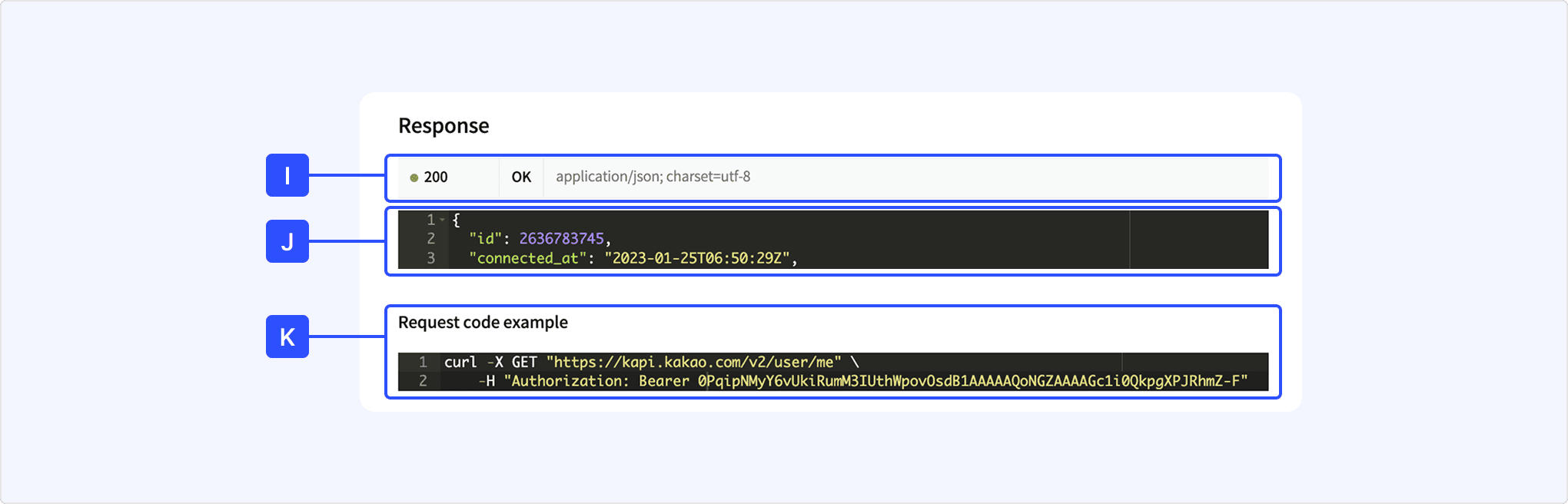
[I] HTTP status code: Shows the HTTP status code in response. Refer to Response code.
[J] Response body: Shows the response body in response.
[K] Request code example: A request example you can use to test directly in your development environment.