
This document describes how to integrate the Kakao Navi API into your service with the Kakao SDK for iOS ("iOS SDK").
The Kakao Navi API provides the navigateUrl() method for navigation and the shareUrl() method for location sharing.
navigateUrl() and shareUrl() return URL to invoke the navigation and location sharing function with the Kakao Navi application ("app"). If the Kakao Navi app is installed on a user's device, the app is launched. If not, the user should be directed to the download page for the Kakao Navi app.
To allow a user's device to launch the Kakao Navi app, you must set a URI scheme in the plist file as follows:
- Add the
LSApplicationQueriesSchemeskey with an array type in the plist file. - Add "kakaonavi-sdk'" to the
LSApplicationQueriesSchemeskey.
Setting custom URL scheme for Kakao Navi in Xcode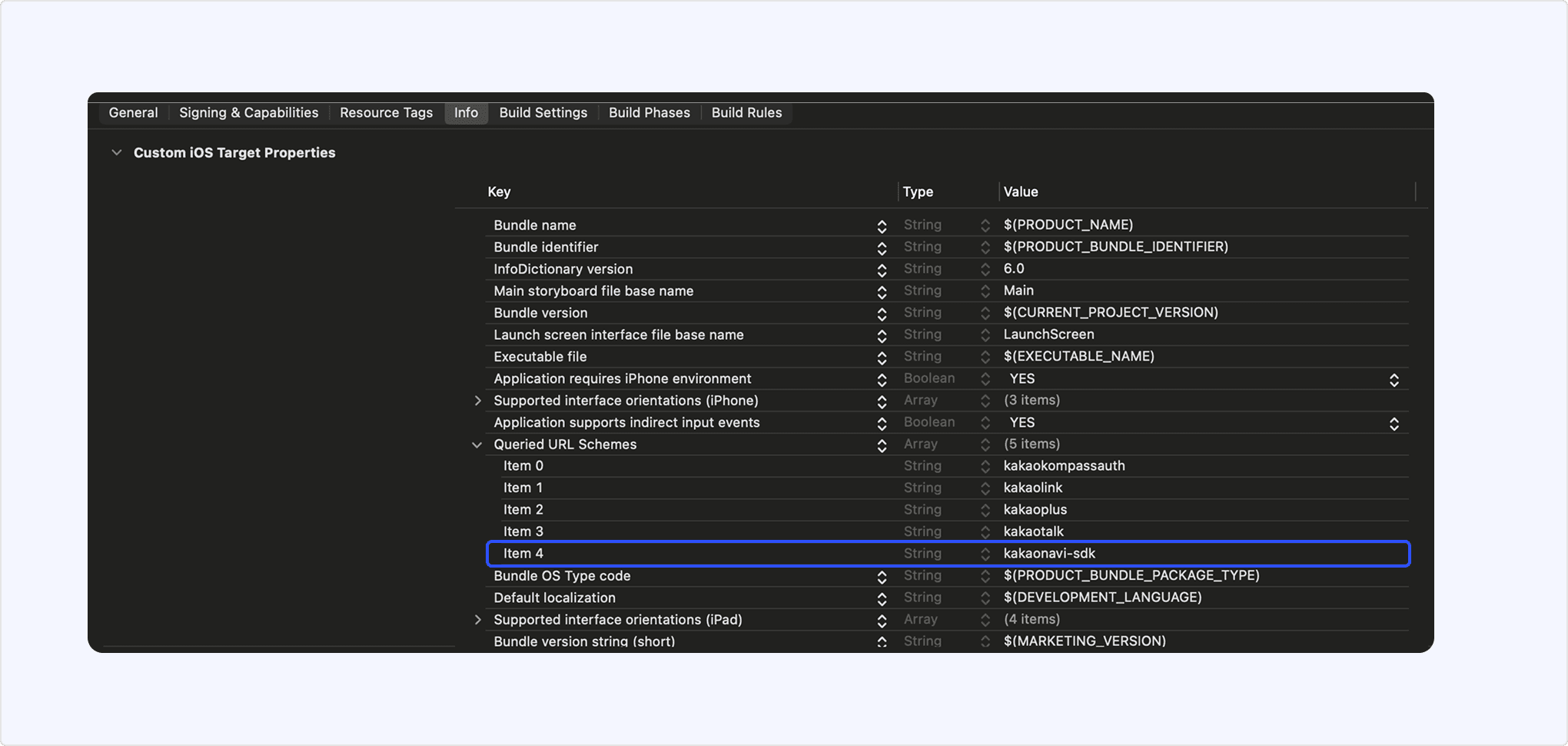
| Requirements | See also |
|---|---|
Starts directions from a user's current location to the entered destination.
- From iOS SDK 2.8.4, the feature to run directions on the web is no longer available if Kakao Navi is not installed.
- If Kakao Navi is not installed, users are redirected to the installation page.
- The web directions feature provided in previous versions will also be discontinued in the future, so updating to the latest version is recommended.
To start navigation from a user's current location to the entered destination on the Kakao Navi app, call the navigateUrl() method defined in the NaviApi class, which returns URL to launch the Kakao Navi app. You must pass destination as NaviLocation object containing the destination information as an argument. You can also specify the desired search criteria using NaviOption.
길 안내 예시 화면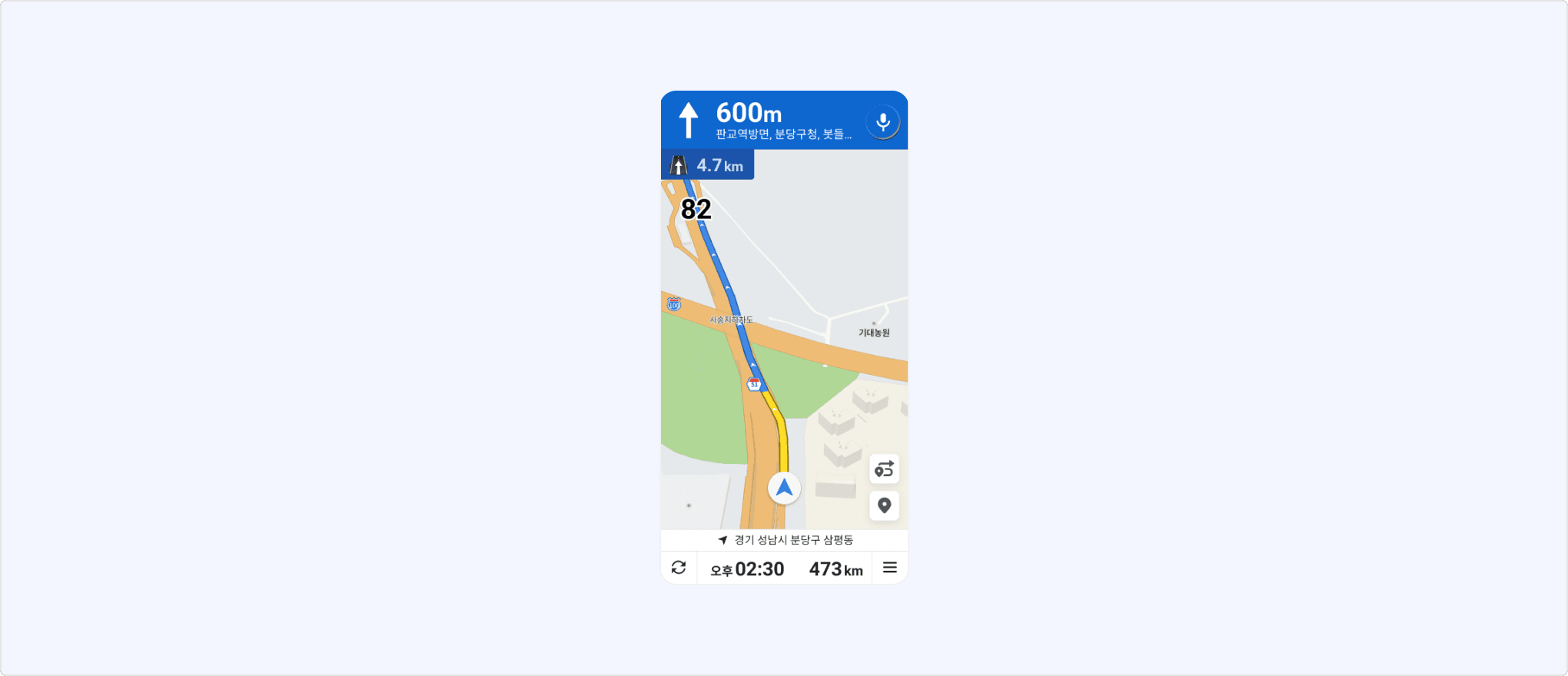
To add waypoints, pass viaList through NaviLocation object.
| Requirements | See also |
|---|---|
Provides a screen to share the destination specified on the Kakao Navi app.
To share the specified location through the Kakao Navi app, call the shareUrl() method in the NaviApi class, which returns URL. You must pass destination as NaviLocation object containing the location information as an argument. You can also specify the desired search criteria using NaviOption.
목적지 공유 예시 화면
To share loacation with waypoints, pass viaList through NaviLocation object.