
This document introduces the Kakao Map API.
Kakao Map APIs provide REST APIs for retrieving location-based data in web and app services, and Map SDKs for displaying and controlling Kakao Maps. For the features available for data retrieval and map implementation, see Provision methods.
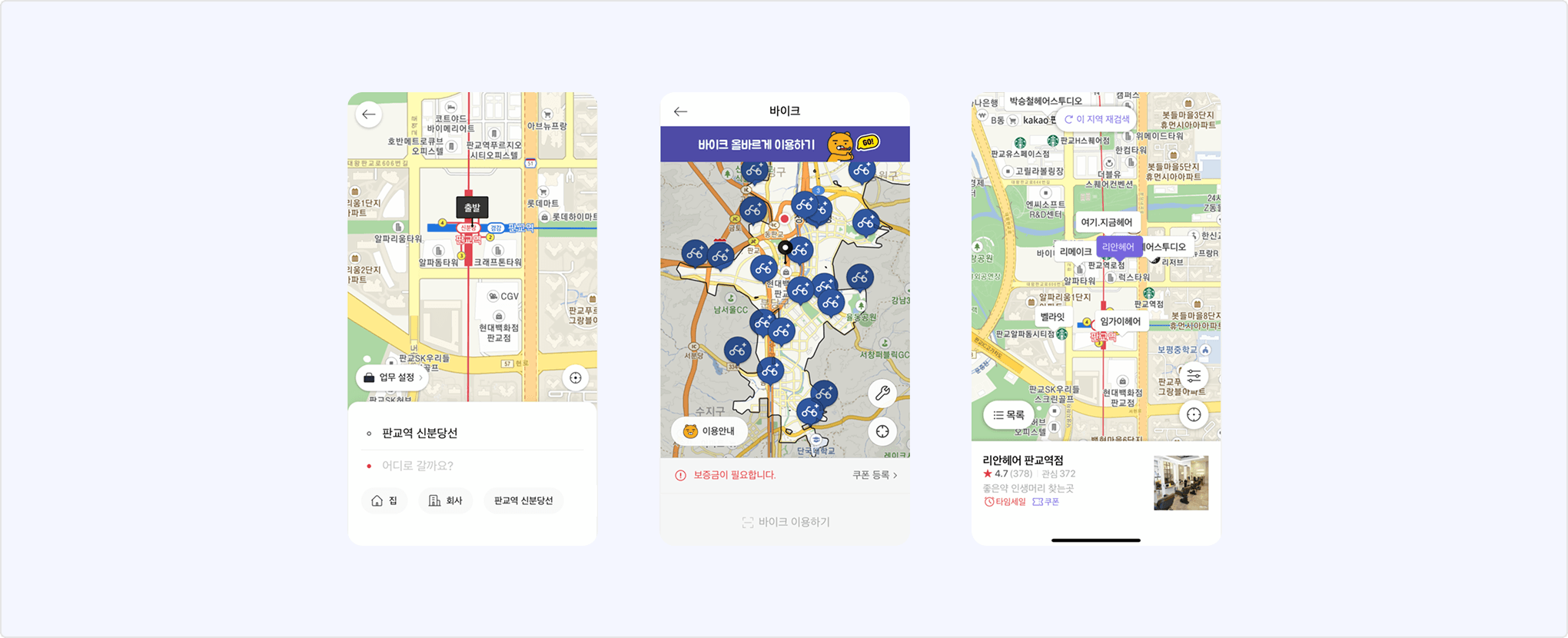
The Kakao Map API provides REST API and Map SDK.
REST APIs provide features to retrieve data such as places, addresses, coordinates, and routes, or to generate map images. Both land-lot number addresses and road name addresses are supported. For the full API specifications, see REST API.
| Type | Features |
|---|---|
| Address/Coordinate conversion | Address and coordinate conversion, coordinate system conversion |
| Place search | Keyword-based and category-based place search |
| Route retrieval | Get public transit routes, walking routes, and bicycle routes based on origin and destination coordinates |
| Static maps retrieval | Get static maps based on specified coordinates and options |
Map SDKs provide features to display and control Kakao Maps in web and mobile applications. For Map SDK developer guides, references, and samples, see the Kakao Maps API website.
| Type | Environment | Platform key | Reference |
|---|---|---|---|
| Map Web (JavaScript) SDK | Implement Kakao Map features in a web service | JavaScript key | Map Web SDK developer guide |
| Map Android SDK | Implement Kakao Map features in an Android app | Native app key | Map Android SDK developer guide |
| Map iOS SDK | Implement Kakao Map features in an iOS app | Native app key | Map iOS SDK developer guide |
When calling APIs with a Map SDK, you must use the specified platform key type. Do not use a REST API key with a Map SDK. An error occurs if an incorrect app key is used.
To use the Kakao Map API, complete the following steps:
- Register an app.
- Activate the Kakao Map API: Set [State] to [ON] in [Kakao Map] > [Usage settings] on the app management page.
- Free quota is provided only to the first app that activates the Kakao Map API per developer account. (Reference: Check app eligible for free quota)
- When using the Kakao Map REST API, register the required settings to the REST API key to use.
- When using the Kakao Map Map SDK, register the below information to the specified platform key for each platform.
- Web (JavaScript) SDK: JavaScript SDK domain for the JavaScript key
- Android/iOS SDK: Android/iOS app information for the Native app key
- If any of the following conditions applies, connect a Biz Wallet and enable paid API usage is required.
- Use the Kakao Map API in an app that is not the first activated app per developer account, starting from the second activated app.
- Use the API beyond the free quota, regardless of app activation order.
The app that is the first to activate the Kakao Map API per developer account and receives free quota displays the [Kakao Map free quota] badge in app information.
Kakao Map free quota applied app information
Starting July 21, 2026, the usage method and free quota policy for the Kakao Map API have changed. For details, see Notice.
Kakao APIs apply monthly and daily quotas to support stable service. You can see the currently applied free quota information in Free quotas.
Kakao Map APIs provide free quotas only to the first app activated per developer account. If the app is not the first activated app, starting from the second activated app, or if you need to use the API beyond the free quota, you can use usage-based billing after connecting a Biz Wallet and enabling paid API usage. For usage-based billing information, see Additional quota usage price.
The Kakao Map API provides a free quota per app. If you exceed the free quota, a 429 error occurs.
If you need more usage beyond the free quota, you can enable paid APIs to make additional API calls. For detailed setup instructions, see Paid API.
You can view monthly and daily quota usage of your app in [Statistics] > [Quota] on the app management page.
Yes. You can download Kakao Map logos and design guidelines in [Tools] > [Resource Download] > [Kakao Map]. You can use them for leveraging the Kakao Map API or for shortcut icons in your service.
When using a Kakao Map logo, it is recommended to comply with the design guidelines to maintain a consistent brand image for users. You can also download the design guidelines on the Resource Download page.
You can find answers by checking posts on the Kakao Map API board on DevTalk. Alternatively, you can leave a post with an account verified as a service owner or stakeholder to receive a prompt response from the responsible personnel.
The following table lists APIs provided in the REST API document. For platform-specific Map SDK APIs, see the Kakao Maps API website.
For Kakao SDK support for each API, see Scope of support.
| API | Method | URL | Description |
|---|---|---|---|
| Convert address to coordinates | GET | https://dapi.kakao.com/v2/local/search/address.${FORMAT} | Returns the coordinates and details of the requested address string. |
| Convert coordinates to region code | GET | https://dapi.kakao.com/v2/local/geo/coord2regioncode.${FORMAT} | Returns the administrative and legal-status area information for the specified coordinates. |
| Convert coordinates to address | GET | https://dapi.kakao.com/v2/local/geo/coord2address.${FORMAT} | Returns the land-lot number address and road name address information for the specified coordinates. |
| Transform coordinates | GET | https://dapi.kakao.com/v2/local/geo/transcoord.${FORMAT} | Returns coordinate values in a specified coordinate system from coordinate values in another coordinate system. |
| API | Method | URL | Description |
|---|---|---|---|
| Search place by keyword | GET | https://dapi.kakao.com/v2/local/search/keyword.${FORMAT} | Returns place search results that match the requested keyword in the specified sort order. |
| Search place by category | GET | https://dapi.kakao.com/v2/local/search/category.${FORMAT} | Returns place search results for the requested category code in the specified sort order. |
| API | Method | URL | Description |
|---|---|---|---|
| Get public transit routes | GET | https://dapi.kakao.com/v2/routing/publictraffic | Returns public transit routes for the specified origin and destination coordinates. |
| Get walking routes | GET | https://dapi.kakao.com/v2/routing/walk | Returns walking routes for the specified origin and destination coordinates. |
| Get bicycle routes | GET | https://dapi.kakao.com/v2/routing/bicycle | Returns bicycle routes for the specified origin and destination coordinates. |
| API | Method | URL | Description |
|---|---|---|---|
| Get static maps | GET | https://dapi.kakao.com/v2/maps/staticmap | Returns a static map image reflecting the specified coordinates and options. |